


My TrailTech Install


Thread Starter
|
Senior Member
1st Gear Member
Joined: May 2008
Posts: 942
From: Pineville, LA
 My TrailTech Install
Several guys have posted their installed TrailTech Vapor computers, but I figured I'd share my install and tips we found along the way. 2009 KLX250S. I recommend the Dashboard, as its useful to have your neutral / turn signal / hi-beam indicators. Not a deal breaker, but I felt it was worth the money, since there's no easy way to "have" these indicators otherwise.
My OEM speedo crapped out. The backlight came on, indicators worked, but nothing else. So I bought a Vapor. The included directions from TrailTech are VERY good... not sure if a write-up is neccessary... but here's a brief overview of how we did things.
1. Disconnect the battery.
2. Remove the front fender, numberplate, and the headlight.
3. Unbolt the factory computer. Laugh at its inferiority.
The factory mounting plate looks like this:
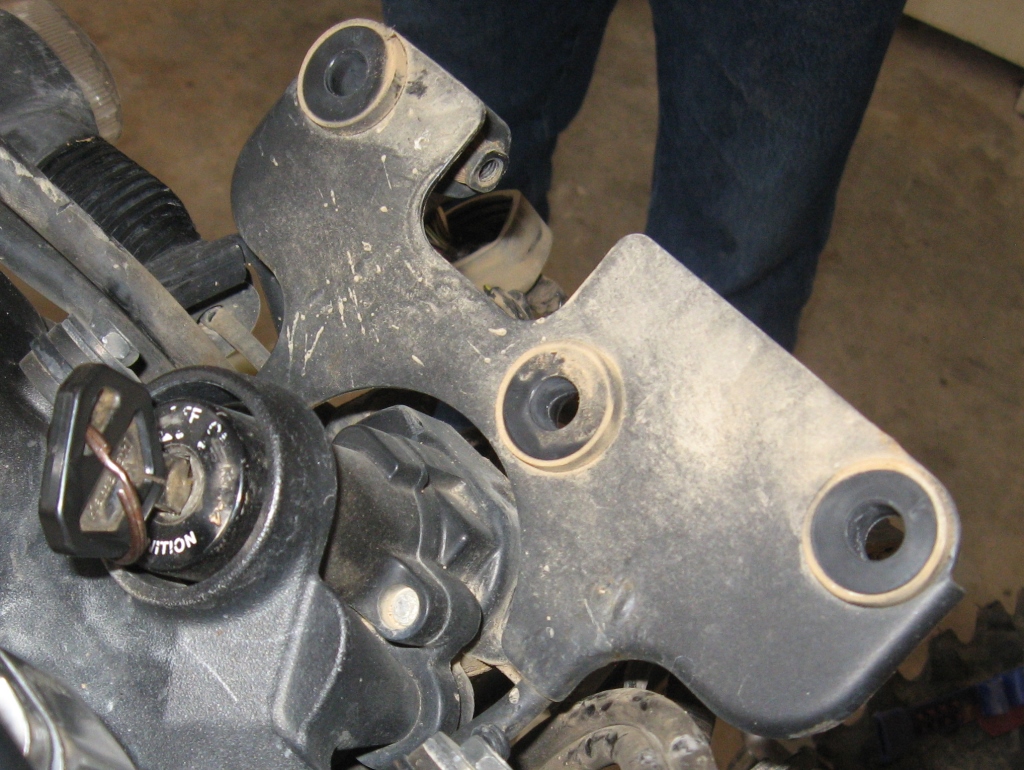
We fabricated an angle bracket to mount to the TrailTech / Dashboard bracket. We used the metal OEM licence plate / reflector monstrosity. Waste not, want not.
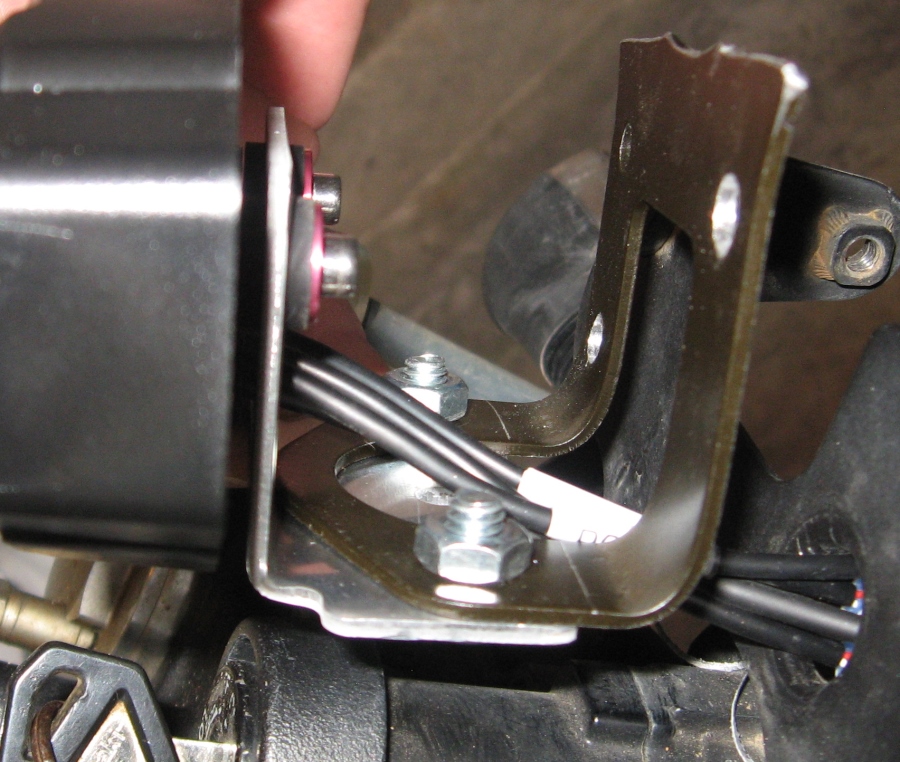
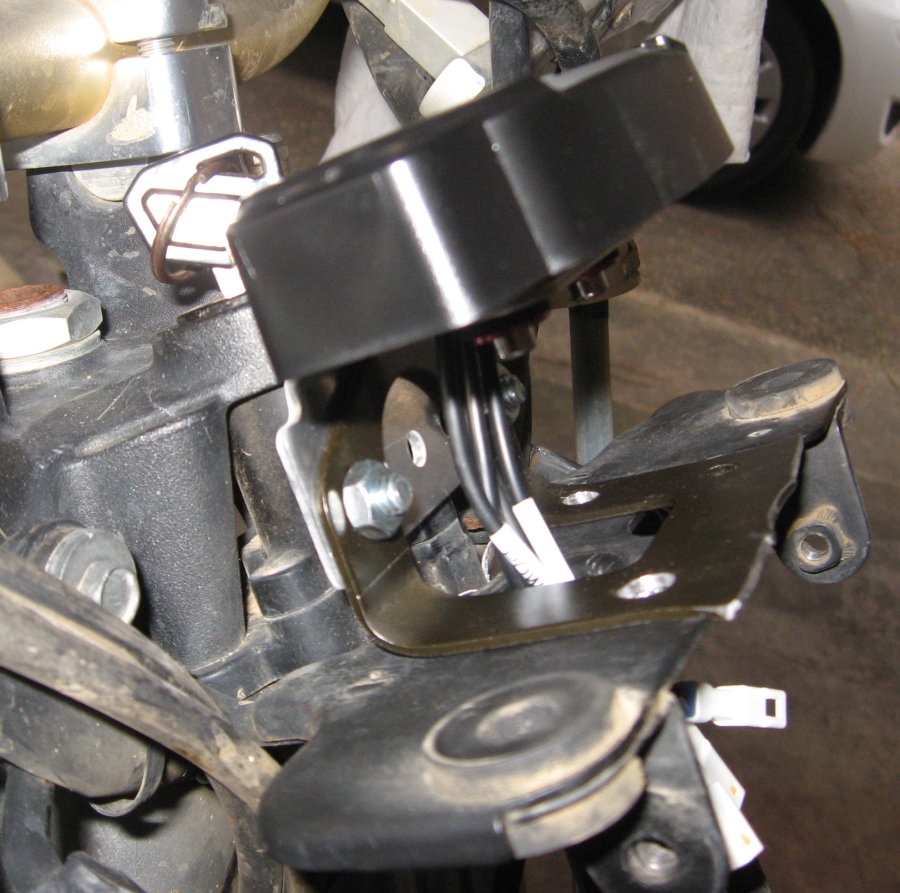
We drilled appropriate holes in the factory mounting plate and bolted the angle bracket in place. The wires will also neatly fit through the original hole once your wiring is complete.
The speed sensor mounts to the brake calliper... you drill a couple holes. Very straightforward. The magnet just needs to get JB weld-ed into place on the rotor. Run the wire along the brake hose. Kinda idiot-proof but if anyone wants pics I have some and can take more.
As far as wiring goes, just read the service manual to determine which wires correspond to which OEM computer functions. The tach wire is orange, but offhand I can't remember the rest. This is for an 09... can't speak to other years. But just pay close attention to the pin numbers on the plug / wire color from the service manual and you can't screw it up. We used a constant-on for power (per TrailTech recommendations) since the unit turns off after 20 minutes anyway. The only switched-power we had to tap in to independently was for the neutral light (turn signals and hi-beam are already ignition-only).
The thermistor provided won't reach the lower rad hoses, so we installed it at the crossover hose between the rads. Maybe its not the best indicator of engine temp, but I got a reading of 185 after long, hard idle. I haven't had a chance to do any riding besides about 4 miles puttering around the neighborhood, so I guess we'll see over time what kinda readings I get.
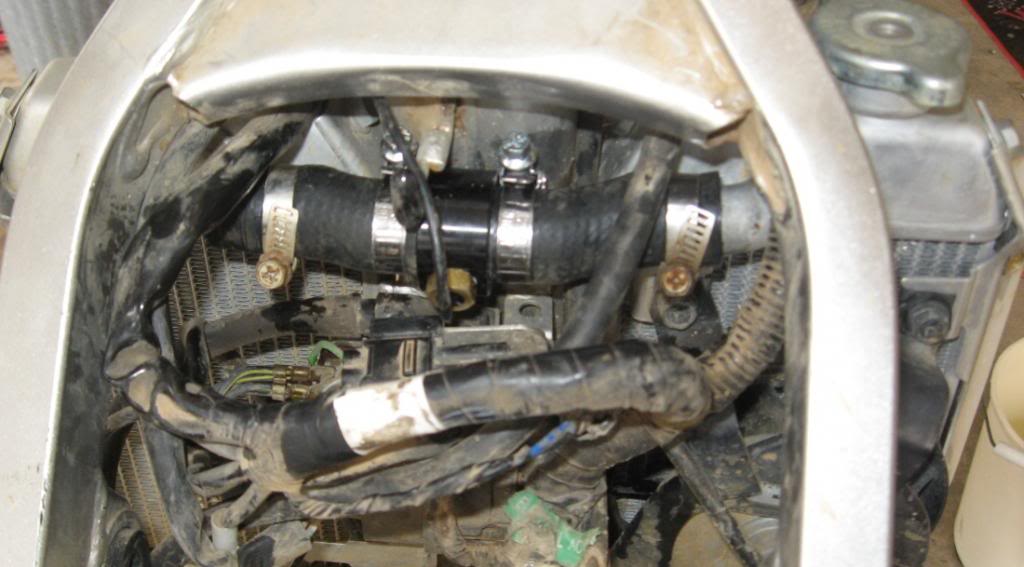
Of course use plenty of electrical tape to seal up all of your soldering and to neaten things up. Here's what mine looks like.
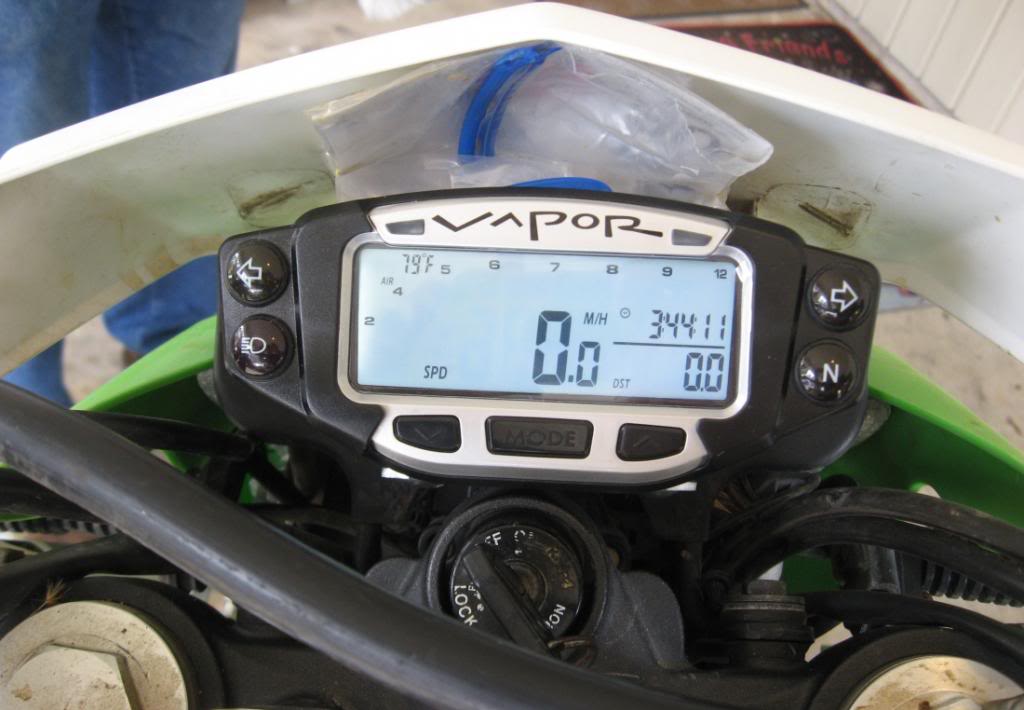
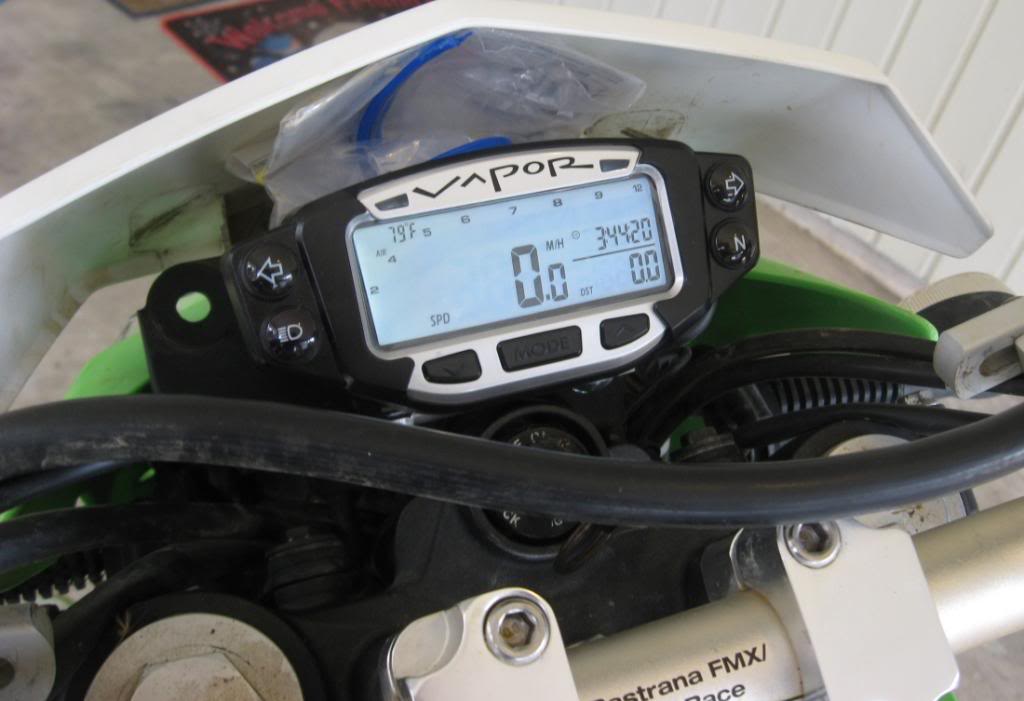
Yes, that's my paperwork in the doubled-up ziplocks. The outer ziplock is velcro'ed to the numberplate, and it lives in the house between rides. Don't judge me
The tach / speedo react a little slower than the factory unit, though I'm sure the speedo is more accurate than stock and the adjustability is a nice feature. Really nice having the outside / water temp readings, and "max" readings for each ride.
A note on the indicator lights: The regular incandescent bulbs are USELESSLY dull. I'm gonna swap in the LEDs next time I go home and see if they're brighter.
Here's a brief vid of functions.
My OEM speedo crapped out. The backlight came on, indicators worked, but nothing else. So I bought a Vapor. The included directions from TrailTech are VERY good... not sure if a write-up is neccessary... but here's a brief overview of how we did things.
1. Disconnect the battery.
2. Remove the front fender, numberplate, and the headlight.
3. Unbolt the factory computer. Laugh at its inferiority.
The factory mounting plate looks like this:

We fabricated an angle bracket to mount to the TrailTech / Dashboard bracket. We used the metal OEM licence plate / reflector monstrosity. Waste not, want not.

We drilled appropriate holes in the factory mounting plate and bolted the angle bracket in place. The wires will also neatly fit through the original hole once your wiring is complete.

The speed sensor mounts to the brake calliper... you drill a couple holes. Very straightforward. The magnet just needs to get JB weld-ed into place on the rotor. Run the wire along the brake hose. Kinda idiot-proof but if anyone wants pics I have some and can take more.
As far as wiring goes, just read the service manual to determine which wires correspond to which OEM computer functions. The tach wire is orange, but offhand I can't remember the rest. This is for an 09... can't speak to other years. But just pay close attention to the pin numbers on the plug / wire color from the service manual and you can't screw it up. We used a constant-on for power (per TrailTech recommendations) since the unit turns off after 20 minutes anyway. The only switched-power we had to tap in to independently was for the neutral light (turn signals and hi-beam are already ignition-only).
The thermistor provided won't reach the lower rad hoses, so we installed it at the crossover hose between the rads. Maybe its not the best indicator of engine temp, but I got a reading of 185 after long, hard idle. I haven't had a chance to do any riding besides about 4 miles puttering around the neighborhood, so I guess we'll see over time what kinda readings I get.

Of course use plenty of electrical tape to seal up all of your soldering and to neaten things up. Here's what mine looks like.


Yes, that's my paperwork in the doubled-up ziplocks. The outer ziplock is velcro'ed to the numberplate, and it lives in the house between rides. Don't judge me
The tach / speedo react a little slower than the factory unit, though I'm sure the speedo is more accurate than stock and the adjustability is a nice feature. Really nice having the outside / water temp readings, and "max" readings for each ride.
A note on the indicator lights: The regular incandescent bulbs are USELESSLY dull. I'm gonna swap in the LEDs next time I go home and see if they're brighter.
Here's a brief vid of functions.


Senior Member
1st Gear Member
Joined: Mar 2010
Posts: 740
From: South Puget Sound, WA
I could not mount my pickup to the brake caliper but used the plastic fork shroud instead with a pop rivet. Maybe they have a new pickup.
So you nuked the overtemp light? I kept it and tied the blinkers together like the OEM setup.
I was worried about the magnet and JBweld but it has been very secure for thousands of miles. Love the vapor
Oh and you did figure out how to update the "permanent" odometer to match your dead OEM unit didn't you?
So you nuked the overtemp light? I kept it and tied the blinkers together like the OEM setup.
I was worried about the magnet and JBweld but it has been very secure for thousands of miles. Love the vapor
Oh and you did figure out how to update the "permanent" odometer to match your dead OEM unit didn't you?
Thread Starter
|
Senior Member
1st Gear Member
Joined: May 2008
Posts: 942
From: Pineville, LA
Sorry guys I have neglected you, my KF brothers and sisters.
Switched to the LEDs and they are plenty bright. The high-beam indicator LED is flaky, probably has some dirt in it, maybe its a bad LED. The neutral switch and turn signal blinker were the two I was most concerned with, and they are still functioning fine.
No I didn't figure out how to update the odometer, and I've long forgotten how many miles were on the old unit. It was over 17,xxx. I have no intention of selling it, so no worries.
The temp sensor works great in the section of radiator hose between the two tanks. The indicator lights function well, too. The ambient temp reading is never right, I suppose being next to the headlight and radiator produce lots of ambient heat.
I've been riding the bike real hard and haven't had any complaints with the TrailTech.
Switched to the LEDs and they are plenty bright. The high-beam indicator LED is flaky, probably has some dirt in it, maybe its a bad LED. The neutral switch and turn signal blinker were the two I was most concerned with, and they are still functioning fine.
No I didn't figure out how to update the odometer, and I've long forgotten how many miles were on the old unit. It was over 17,xxx. I have no intention of selling it, so no worries.
The temp sensor works great in the section of radiator hose between the two tanks. The indicator lights function well, too. The ambient temp reading is never right, I suppose being next to the headlight and radiator produce lots of ambient heat.
I've been riding the bike real hard and haven't had any complaints with the TrailTech.

Thread
Thread Starter
Forum
Replies
Last Post